

Key Takeaways:
• How to identify bots on video chat
• Look for strange replies and timing that feels too perfect
• Watch for video loops or audio that does not match
• Do quick live checks and avoid clicking any links
When people talk about bots on video chat, they usually mean fake accounts pretending to be real people. Some are automatically generated accounts with an automatically generated account name. Others are AI chatbots that use machine learning to mimic human behavior. A few are run by scammers who follow scripts and try to trick human users into clicking a link or giving personal information.
Learning how to identify bots on video chat helps you stay safe, avoid malicious bots, and protect your privacy. In this guide, you will learn the signs of bot behavior, how to detect bots quickly, and what to do if you run into a suspected bot.
Why bots show up on video chat

Bots appear on social platforms and video chat sites for many reasons. Some want to drop scam links. Some want to collect data from account creations. Others try to push adult content or lead you to another website. On dating apps, bots often try to engage you for specific purposes like money scams.
Bots can look more real now because they use ai to generate responses that sound like human language. Some even use prerecorded videos to mimic human behavior. A few sophisticated bots can hold short conversations that feel almost like talking to a real person. But only a handful can keep up with a full human conversation.
This is why you should look for patterns instead of relying on one single sign.
Quick signs in the first 10 seconds

The first few seconds can tell you a lot. Bots often start with the same recommendation or greeting every time. They may say hello before your camera loads. They might ignore your message and jump into something off topic.
Timing is another clue. If replies come too fast or always at the same speed, it may not be a real person. Bots also tend to ask you to move to another site or app right away. They may send a link or ask you to verify something. This is an old trick used by malicious accounts.
If you want to understand how to identify bots on video chat quickly, these early signs are some of the easiest to spot.
Conversation behavior red flags
Bots struggle with real conversation. They often avoid direct questions. They may repeat the same words even when the topic changes. Some give meaningless responses or offer vague compliments that feel wrong.
Bots also use pressure. They may try to make you feel guilty or rushed. They might say things like do not waste my time or hurry up.
Not every strange moment means someone is a bot. Some humans are shy. Some have slow internet. Some do not speak the same language well. Look for repeated patterns in user behavior, not one moment.
Video and audio red flags
Many bots use prerecorded videos. You might notice the person doing the same movement again and again. They may blink in a loop or freeze in a strange way. Sometimes the profile picture looks real, but the video is fake.
Lip movements may not match the voice. The audio might sound like it was recorded earlier. Filters can also create weird effects. You may see warping around hair, glasses, or hands.
The background can be a clue too. If nothing ever moves or the blur looks strange, it might not be real. Some fake accounts even use a photo stolen from social media or youtube videos.
Sometimes these signs happen because of bad lighting or slow internet, so do not rely on only one clue.
Profile and text chat clues
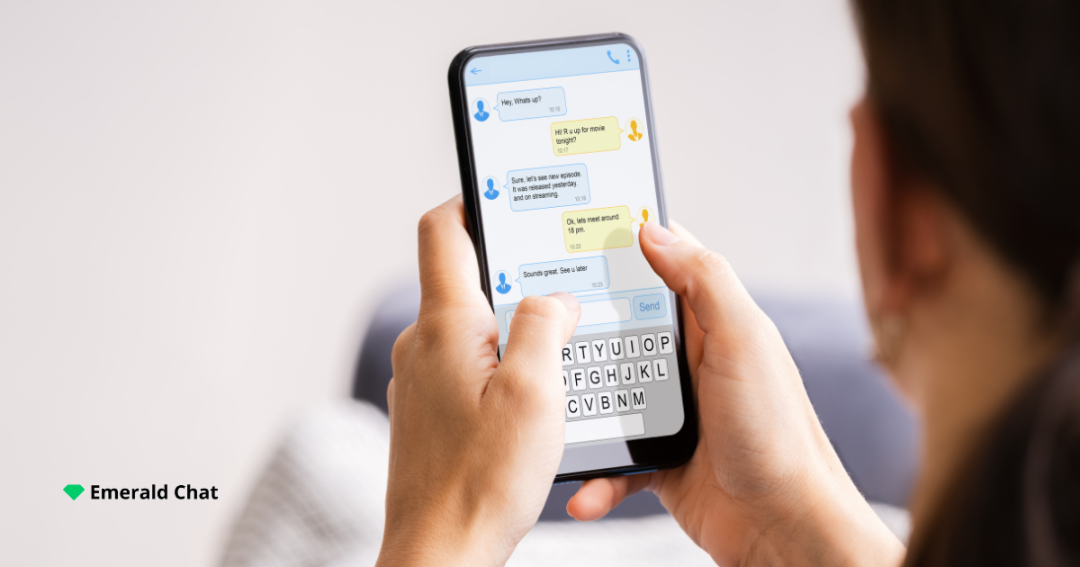
Bots often have empty profiles or random usernames. Their bios may look copied from somewhere else. If you see the same message across different chats, it is likely a bot.
Bots also send links, QR codes, or contact info very early. They may claim to be from one place but speak a different language or give a different location later. Some even pretend to be real viewers or legitimate users, but their account details do not match.
If you see sudden spikes in activity from the same account, that is another red flag.
Simple real time checks that do not feel awkward
You can do quick checks without making things weird. Ask the person to wave. Ask them to turn their head. Ask them to show something near them like a cup or a pen.
You can also ask a follow up question based on what they just said. Real users can answer naturally. Bots usually cannot. They may respond with the wrong answer or something that does not fit the conversation.
If they avoid every simple request, it is better to move on.
What to do when something feels off
If something feels wrong, end the chat. You do not need to argue or test them for a long time. Never click links or scan QR codes. Do not share personal details like your phone number, email, city, workplace, or payment info.
Use block and report tools when you can. If you clicked a link by accident, change your passwords and turn on two factor authentication. Check your accounts for strange activity like new logins or unknown ip addresses.
How to reduce bot encounters going forward
Choose platforms that have active moderation and clear reporting tools. Use safety settings when they are available. Over time, you will start to recognize common scam patterns.
EmeraldChat is one example of a site that focuses on safer video chat and gives users tools to report suspicious accounts. This can help reduce how many bots you run into and make your experience better.
If you want to get better at spotting fake accounts, keep practicing how to identify bots on video chat by watching for patterns and trusting your instincts.
Conclusion
Bots are getting better, but they still follow patterns. When you know how to identify bots on video chat, it becomes much easier to stay safe. Trust your instincts, do quick checks, and keep your personal information private. If something feels off, move on and report it. Choosing safer, moderated spaces like EmeraldChat can help you avoid many of these problems and enjoy a better video chat experience.
Frequently Asked Questions
How common are bots on video chat
Bots are very common on many video chat platforms, especially ones with little moderation.
Can bots pass video checks
Some ai bots can pass simple checks, but most fail when you ask for a quick live action.
Is it a bot or just lag or shyness
Lag, shyness, or language barriers can look similar. Look for repeated patterns, not one moment.
What information should never be shared
Never share your phone number, email, city, workplace, or payment details.
What is the fastest way to stay safe
Do a quick live check, avoid links, and leave the chat if anything feels strange.
Leave a Reply