

Here is how to purchase Emerald Gold. Log in to your Emerald Chat account on the website. Click the gear icon in the top right corner, then choose Emerald Gold. Click the Buy button and pay with a card. Gold costs $5.89 a month, and it renews each month until you cancel.
Key takeaways
- You need a free account first. You can sign up with Google, Facebook, or email.
- Gold adds a gender filter, a karma filter, priority matching, and picture sharing in one on one text chat.
- Platinum is an add on. You have to get Gold before you can get Platinum.
- You can cancel any time, and Gold stays on until your paid month ends. Emerald Chat doesn’t give refunds, though.
You’ve made up your mind. You want Emerald Gold. So you click around the site, and the buy button is nowhere on the home screen.
That’s normal. Gold lives inside your account menu, not on the main page. If you aren’t logged in, you won’t see it at all.
You may have also seen a different price on an older page. Some posts from 2023 still list the old price. This guide uses the current one, so you know what you’ll pay before you click.

Below, you’ll see what Gold adds and why people get it. Then you’ll find each step in order, plus how Gold works on the app and what to do if something goes wrong. And if you change your mind later, we’ll show you how to cancel.
Why should you get Emerald Gold?
Think about how your chats go now. You hit start. You wait. You match with someone who isn’t who you hoped to meet, so you skip. Then you wait again.
Gold is built to break that loop. Each feature fixes one part of it.
- You wait less. Priority matching moves you up in the queue. You spend more time talking and less time staring at a loading screen.
- You meet who you want to meet. The gender filter lets you choose who you match with. Add a few interest tags, and your matches get even closer to what you want.
- You meet people who treat others well. The karma filter matches you with users who earned good karma from past chats. That means fewer rude strangers.
- Your chats can go further. You can send photos in one on one text chats. Show the dog you keep talking about, or the meal you just cooked.
- You can chat from anywhere. Gold members get the Emerald Chat app on iPhone and Android.
- People can tell you’re here to stay. A Gold badge shows on your profile.
You don’t lose anything, either. Your free features stay the same: interest tags, the intimacy filter, friends, your feed, and chat history. This guide on filtering your matches to meet the right people shows how to pair your new filters with interest tags.
So is it worth it? Gold is listed at $5.89, which is less than a lot of people spend on one coffee. If you chat more than once in a while, the shorter waits alone make a real difference. And there’s little risk. You can cancel any time from your account, and you keep Gold until your paid period ends.
What do you need before you buy Emerald Gold?
You need two things: an account and a card.
Gold is tied to your Emerald Chat account. You can’t buy it as a guest. If you don’t have an account yet, head to the Emerald Chat login page and sign up. You can use Google, Facebook, or your email. You must be 18 or older.
For payment, Emerald Chat takes Visa, Mastercard, American Express, and Discover. Prices are in US dollars. Sales tax may be added where your area requires it.
How to purchase Emerald Gold: what are the steps?
It only takes a few minutes. Do it on the website, in a browser on your phone or computer.
1. Log in. Go to emeraldchat.com and click “Login to your account.” You’ll land on your dashboard.
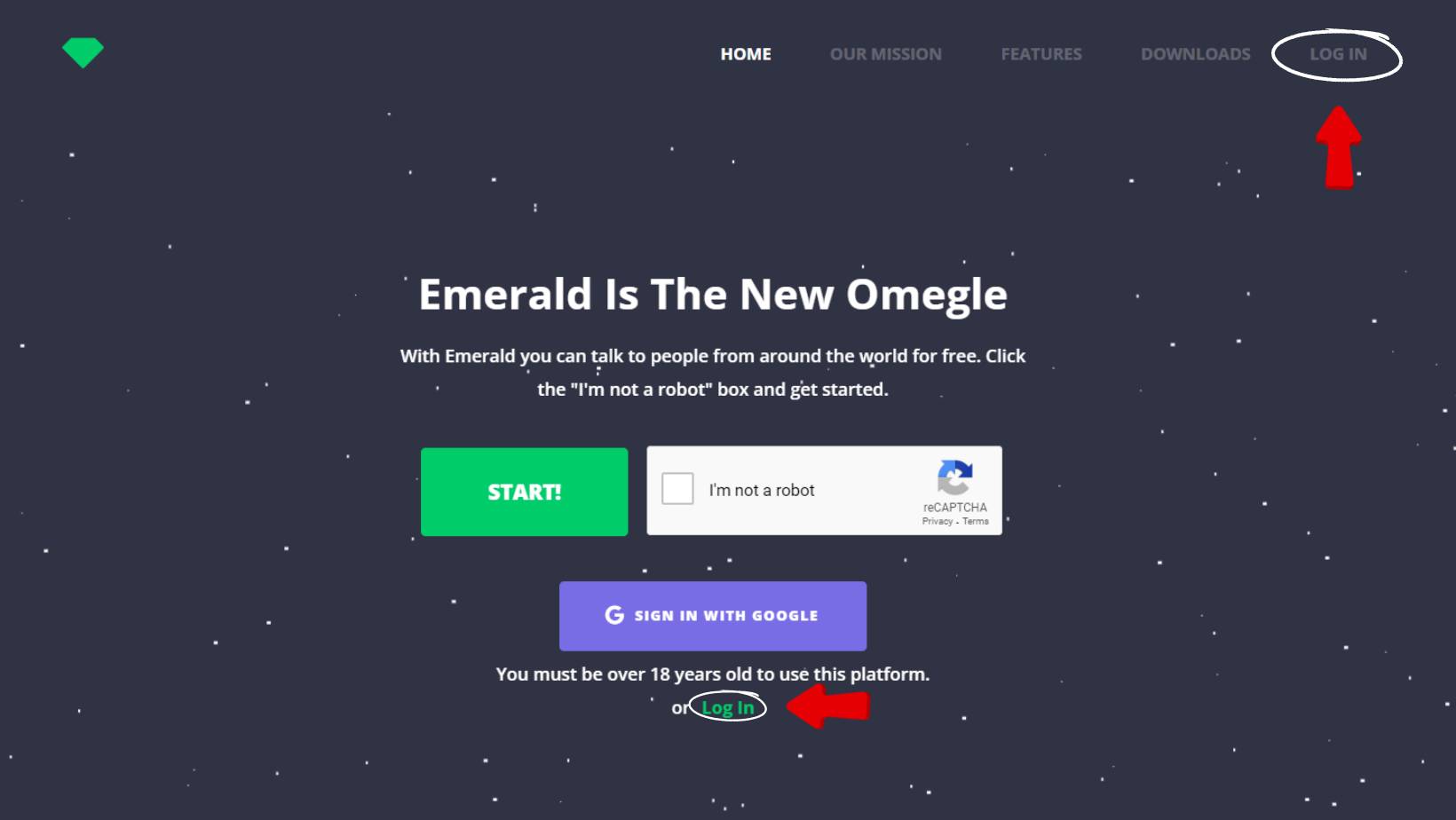
2. Open the gear icon. Look at the top right corner of your dashboard. Hover over or tap the gear icon to open the menu.
3. Click “Emerald Gold.” It sits in that menu.
4. Click the Buy button. The button shows the price. Check the amount before you click.
5. Pay. Enter your card details on the payment page and confirm.
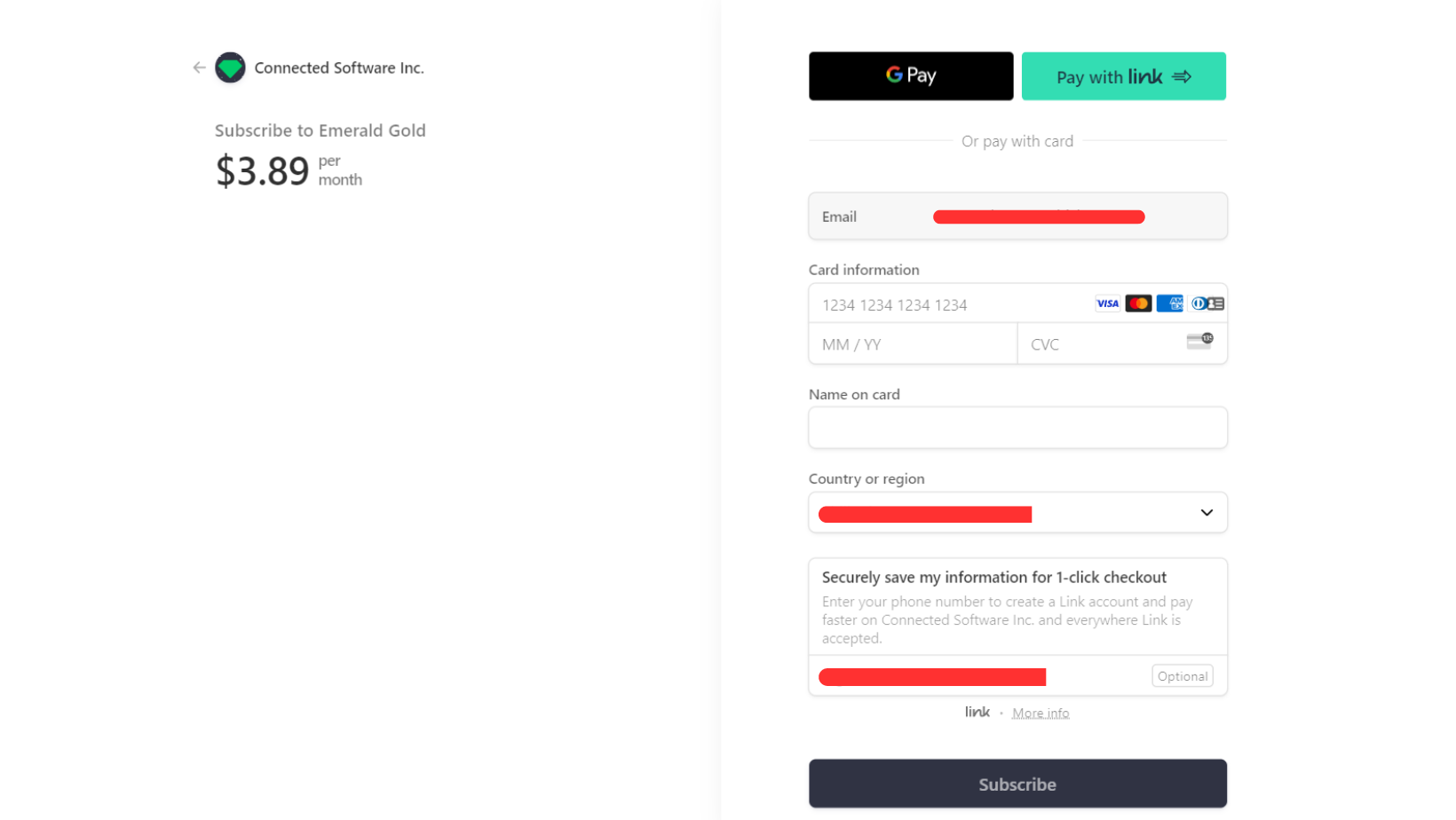
That’s it. Gold turns on for your account once your payment goes through.
One more tip. Buy Gold on the account you actually chat on. Gold is linked to the account you’re logged in to when you pay.
Can you buy Emerald Gold in the mobile app?
You can, but the website is the simplest place to start.
The Emerald Chat app on Google Play and the App Store is made for Gold members. Most people buy Gold on the website first. Then they download the app and log in with the same account. This post on using Emerald Chat on your phone versus the website covers what changes between the two.
The app stores also sell Gold as an in app purchase. If you buy it there, Apple or Google bills you, not Emerald Chat. The price is set by the store, so it can look different from $5.89. It can change by country, too. Always check the price on the screen before you tap buy.
What if you can’t find the Emerald Gold option?
Most of the time, it’s one of these:
- You aren’t logged in. The gear icon and the Gold option only show up after you log in.
- You’re in the app without Gold. Open emeraldchat.com in your browser and buy it there.
- Your card was declined. Check the card number, date, and code. Make sure it’s Visa, Mastercard, American Express, or Discover.
- You paid, but nothing changed. Log out and log back in. If Gold still doesn’t show, email support@emeraldchat.com. Include your username and your receipt.
The support team handles payment and account problems, so don’t buy a second time to “fix” it. Email them first.
Should you add Platinum too?
Only if you want to pick where people are from or what language they speak.
Platinum is an add on to Gold. It’s listed at $12.89, and it adds country and language filters on top of everything Gold already gives you. You can’t buy it on its own. You need an active Gold plan first.
If you’re not sure, start with Gold. You can always add more later. Our Emerald Platinum guide explains the extra filters. For a side by side look at every plan, read the breakdown of Emerald Chat’s subscription tiers.
How do you cancel Emerald Gold?
It depends on where you bought it.
On the website, log in to your account and cancel your plan there. Your Gold stays on until the end of the month you already paid for. After that, it won’t renew. Keep in mind that all sales are final. Emerald Chat’s terms of service say no refunds are given.
In the app, cancel through the store, not through Emerald Chat. On an iPhone, follow Apple’s steps to cancel a subscription from Apple. On Android, use Google’s guide to cancel a subscription on Google Play. Deleting the app won’t cancel your plan.
A quick check before you click buy
Before you pay, run through three things. Are you logged in to the account you actually use? Does the Buy button show the price you expected? Do you know which filters you want to try first?
If all three are yes, you’re ready. Gold won’t make every stranger a great match. What it does is cut the waiting and give you more say in who shows up on your screen.
And if you ever get stuck, the full Emerald Chat user guide has walkthroughs for almost every feature on the site.
Once Gold is on, try the gender filter with two or three interest tags you really care about. Then start a chat on Emerald Chat and see who you meet.
Frequently asked questions
How much is Emerald Gold?
Emerald Gold costs $5.89 a month on the Emerald Chat website. It renews each month until you cancel. Platinum is a separate add on listed at $12.89, and it needs Gold to work. If you buy through the App Store or Google Play, the store sets the price, so it may look different in your country.
Can I get a refund on Emerald Gold?
No. Emerald Chat’s terms say all sales are final. When you cancel, you keep Gold until the end of the period you already paid for, and you won’t be charged again. If you bought Gold through the App Store or Google Play, their own refund rules apply, so check with the store.
Do I need Gold to use the Emerald Chat app?
Yes. The Emerald Chat app on Google Play and the App Store is built for Gold members. Free users can still chat on the website from any browser, on a phone or a computer. Many people buy Gold on the website, then log in to the app with the same account.
What is the difference between Emerald Gold and Platinum?
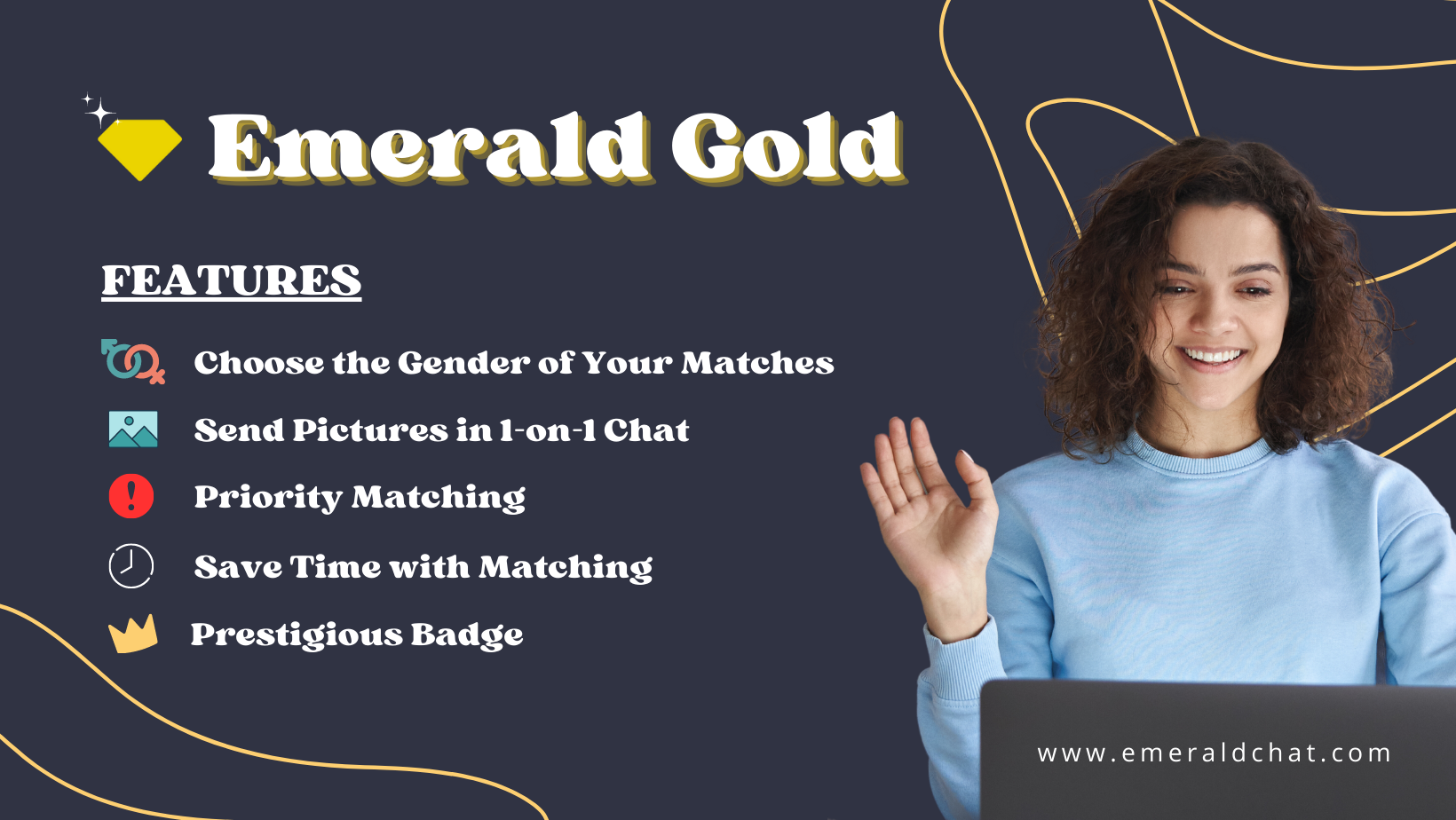
Gold gives you the gender filter, karma filter, priority matching, picture sharing in one on one text chat, and access to the app. Platinum adds country and language filters on top. Platinum can’t be bought alone. You need an active Gold plan first.
Can I use Emerald Chat without paying?
Yes. You can chat for free with text, video, and group chats. Free users also get interest tags, the intimacy filter, friends, a feed, and chat history. Gold is for people who want more control over who they match with and shorter wait times.
So you’ve come to know Emerald Gold, Emerald Chat’s premium experience. You’ve probably seen the ads, discovered it on your own, or heard about it from some of your friends who also enjoy random chat. You glanced over the benefits of Emerald Gold, and thought to yourself, “Hey, this is actually pretty good!” So you are now ready to purchase Emerald’s premium experience, but you are faced with one problem: Where is the Purchase button?
If this is you, then do not worry. This will be a short and simple guide on how you can purchase Emerald Gold!
The first and most important step is for you to log into your Emerald Chat account, as the premium experience is only available for signed-up members of Emerald. If you happen to not have an account yet, you can go to the “Log in” link on Emerald’s front page located at the upper right corner of the page or on the navigation menu. Once the login screen has loaded, Click sign up and follow the instructions. (Or, you can simply use the “Sign in with Google” option on the home page to simplify and speed up the process of signing up)
Once you have finished creating your Emerald Chat account and logged in, you will get redirected to your dashboard. From there, hover over to the upper right corner of the dashboard, where you will see a “gear” icon. This will reveal a sub-menu containing the option to purchase Emerald Gold. Click on the “Emerald Gold” link and then click on the “Buy $3.89” button. This will redirect you to the payment page. Once on the page, complete the payment process.
It’s that easy! Once this is done, you can now enjoy Emerald Gold.
Remember, it’s easy to purchase Emerald Gold! Just follow these simple steps:
1. Sign Up
Via the “Log In” link(You’ll get redirected to the log in page where you’ll have to click the Sign Up link just below the form):
Via the “Sign in with Google” button:
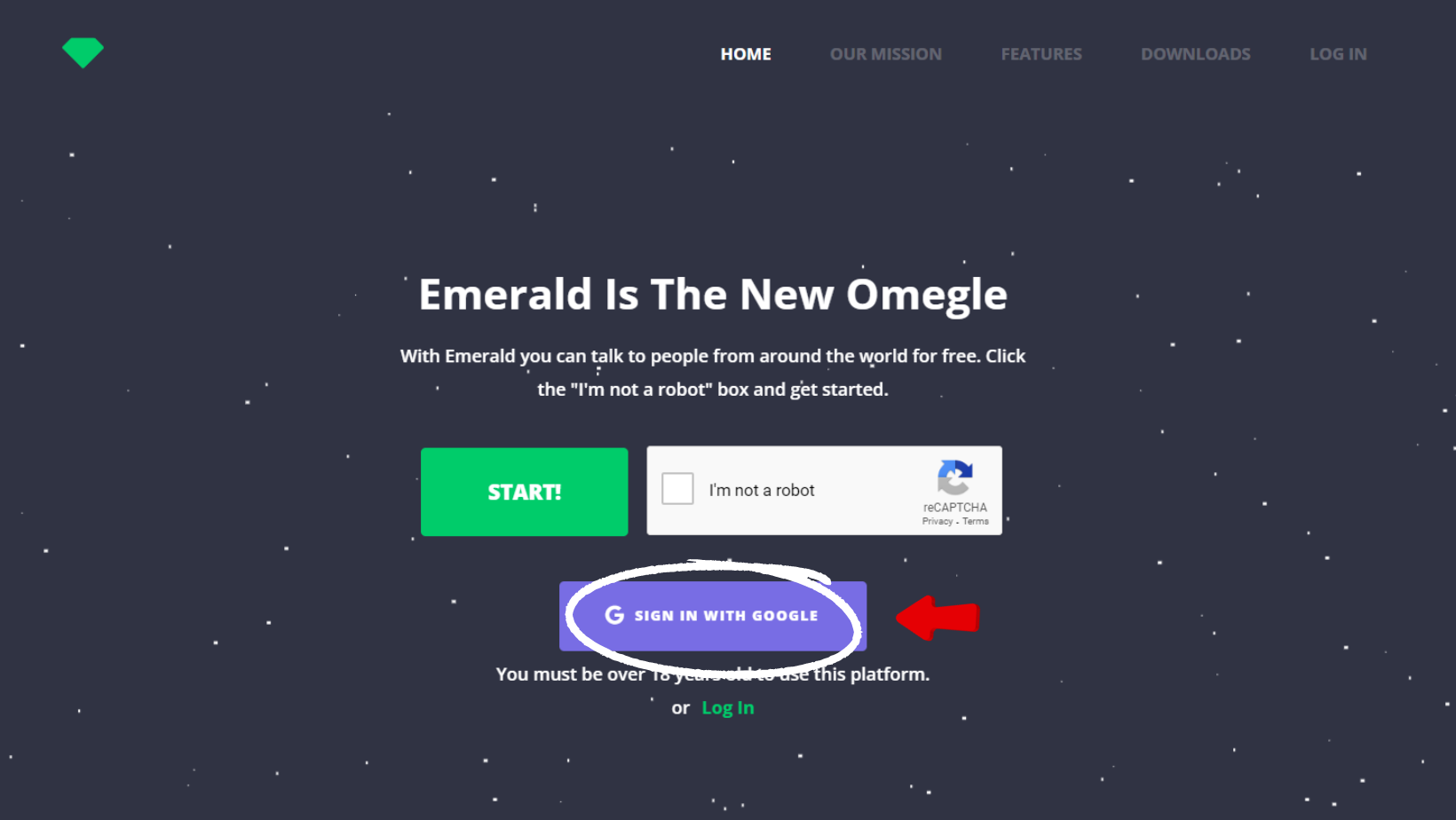
2. Click the gear icon on the upper right corner of your profile dashboard

3. Click the “Emerald Gold” link
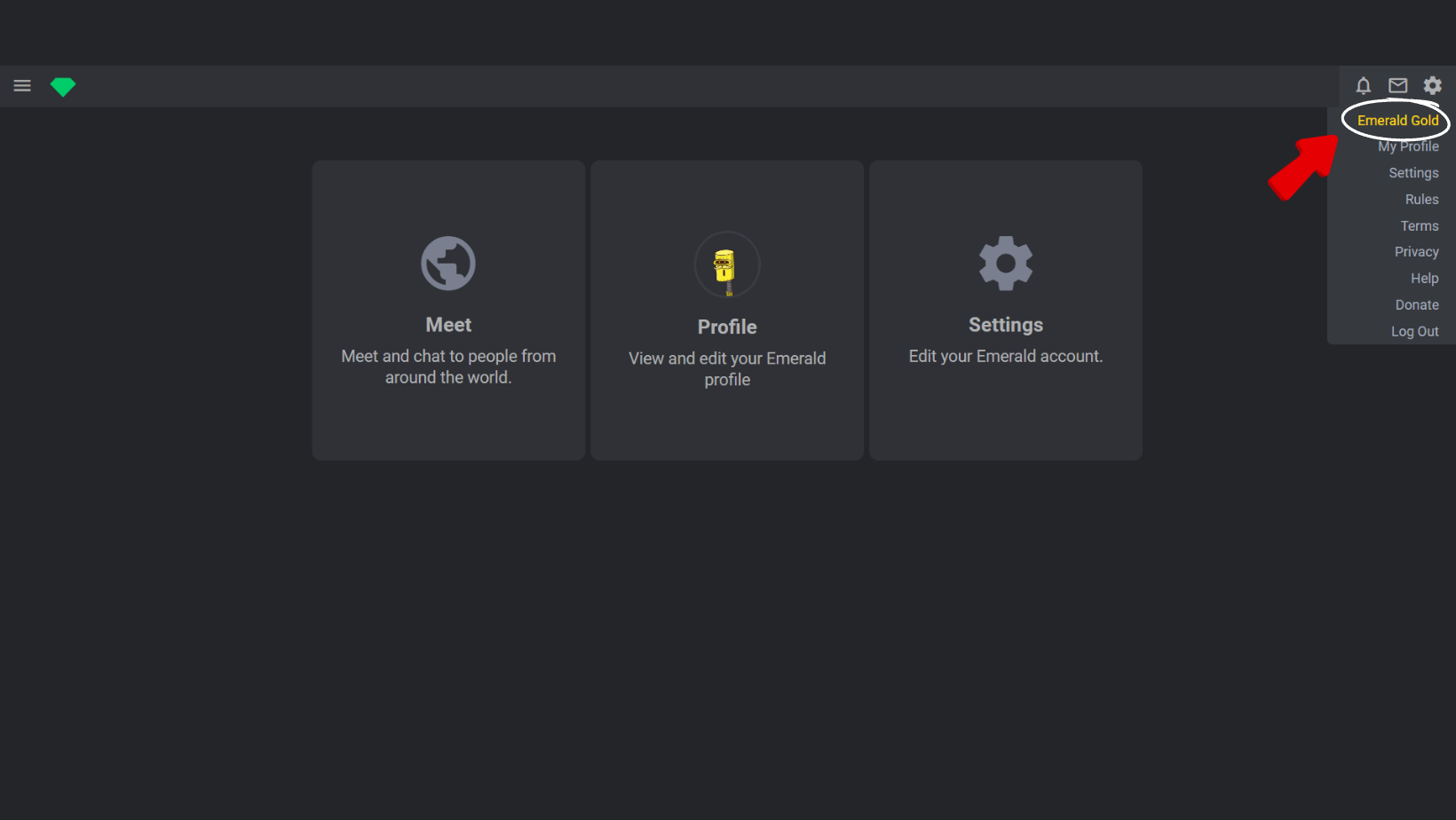
4. Click on the “Buy $3.89” button
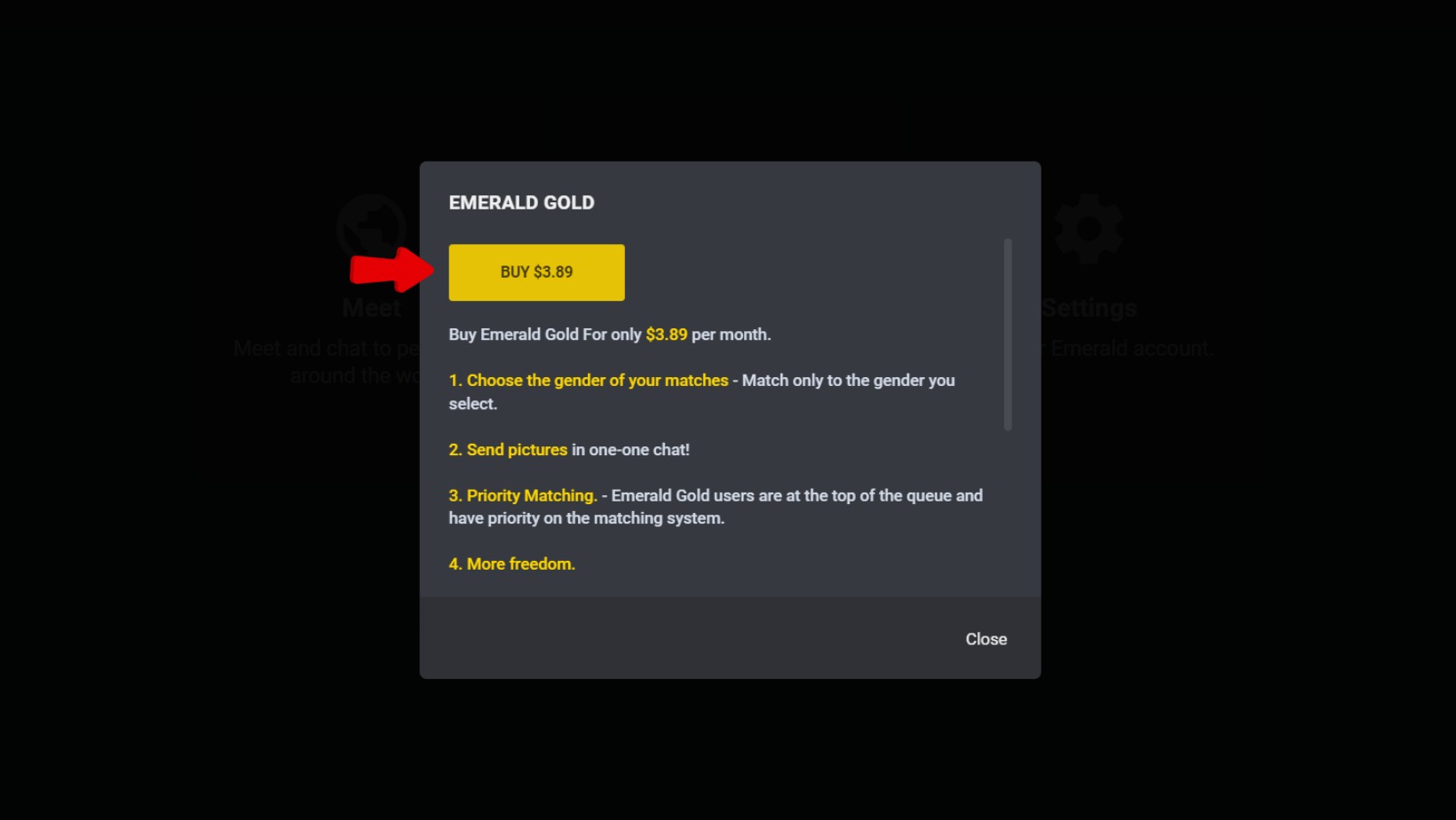
5. Complete the Payment
Still thinking if the $3.89 is worth it? Check out our article on Why You Should Get Emerald Gold. If you’re having trouble with your payment or account creation, don’t hesitate to contact us! Have fun!
Leave a Reply