
To use Emerald Chat, go to emeraldchat.com, click Start Chatting Now, and create a free account with Google, Facebook, or email. Pick a username, add a few interests, then choose text or video chat. You’ll be matched with someone new, and you can skip, add them as a friend, or report them anytime.
Key takeaways
- You need an account, but other people only see the username you choose.
- Text chat, video chat, and group channels are free. Premium adds match filters and Emerald Wing, the live feature.
- Emerald Chat is for adults 18 and older.
- You never have to turn your camera on to try it.
- If a chat feels wrong, you can leave right away and report the person from their profile.
Trying a new chat site can feel like walking into a party where you don’t know anyone. You’re not sure where to stand. You’re not sure what half the buttons do. And you really don’t want your first conversation to start with “sorry, wrong click.”
Here’s the good part. Emerald Chat has a short setup, and you only do it once.
This guide walks through every screen in the order you’ll see it. You’ll create your account, tell Emerald Chat what you’re into, pick how you want to talk, and send your first message. After that, we’ll cover what’s free, what costs money, and what to do when a chat goes sideways. That way your attention can go to the person on the other side.
What do you need before you start?
Not much. You need a phone or computer, an internet connection, and a few minutes.
You also need to be 18 or older. Emerald Chat is for adults only, and its rules say so plainly.
A camera is optional. Plenty of people stick to text chat, especially at first. Emerald Chat works in any web browser, and it also has official apps. If you’re deciding between the two, this guide on using Emerald Chat on your phone or your computer explains how each one feels.
What’s the easiest way to learn how to use Emerald Chat?
Follow the five steps below in order. Each one takes a minute or less.
Step 1: Go to emeraldchat.com and click Start Chatting Now

Open your browser and go to emeraldchat.com. The big button near the top says Start Chatting Now. Click it.
If you already have an account, use the Login link under that button instead.
Step 2: Create your account and pick a username
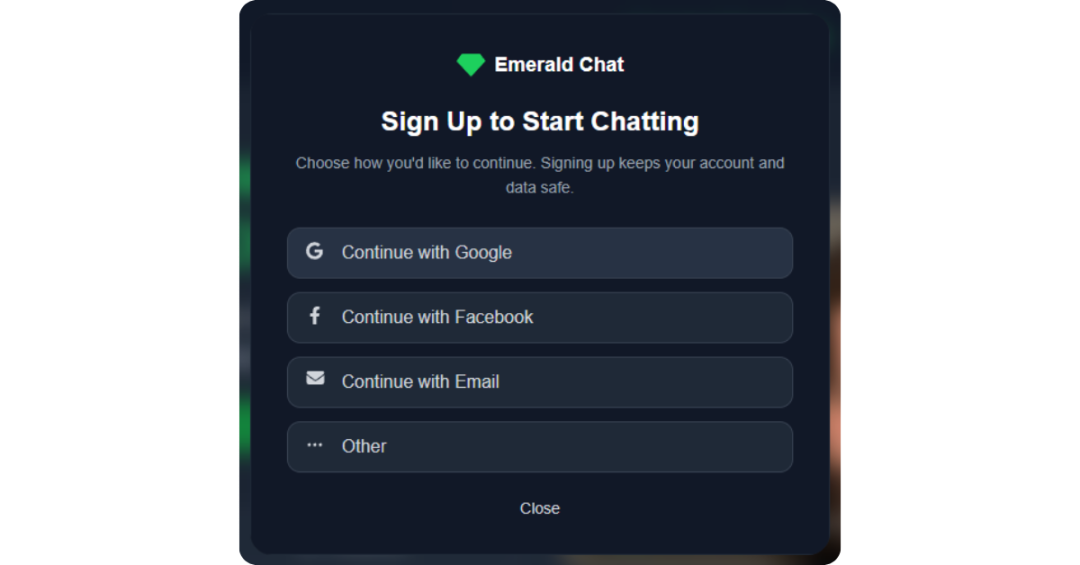
Emerald Chat asks you to sign up before your first chat. You can use Google, Facebook, or your email address.
Why the account? It helps the moderators do their job. When someone gets reported, the team can act on that account and keep that person from coming back as a “new” stranger.
Your account details stay private. Other users only see your username. So pick one that says nothing about who you are in real life. Skip your full name, your city, and your school. The Emerald Chat Safety Center has more simple ways to keep your identity private.
If you sign up with email, use a password you don’t use anywhere else.
Step 3: Add a few interests
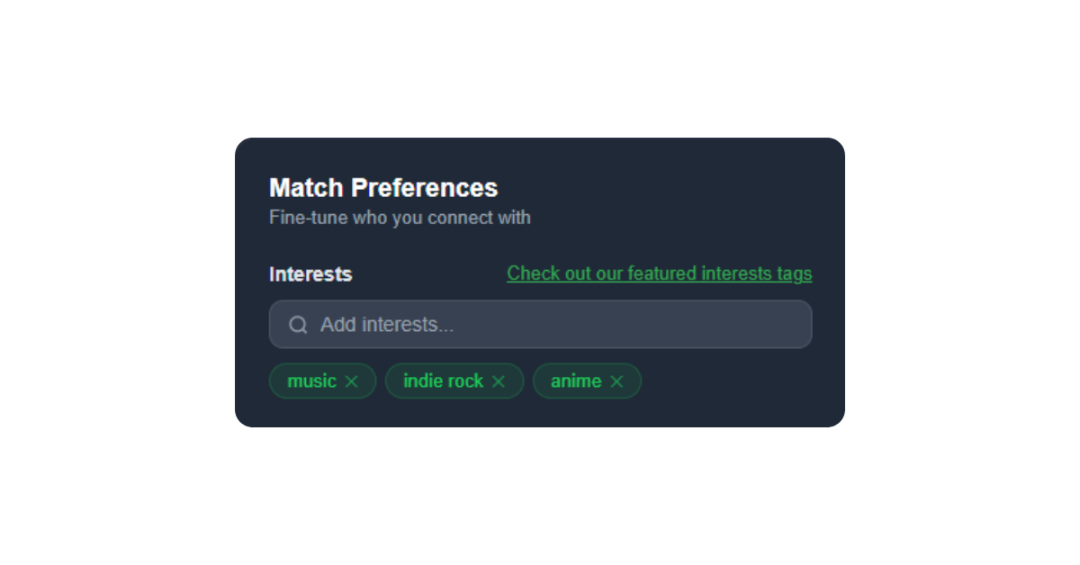
This step changes who you meet. Emerald Chat looks at the interests you add and tries to match you with people who share them.
Specific works better than broad. “Music” could mean anything. “Indie rock” or “90s anime” gives you a real starting point. Add a few that you’d actually enjoy talking about, not ones you think sound impressive.
You can change them anytime. If you want ideas, here’s how to pick interests that lead to better matches.
Step 4: Choose text chat, video chat, or a group channel
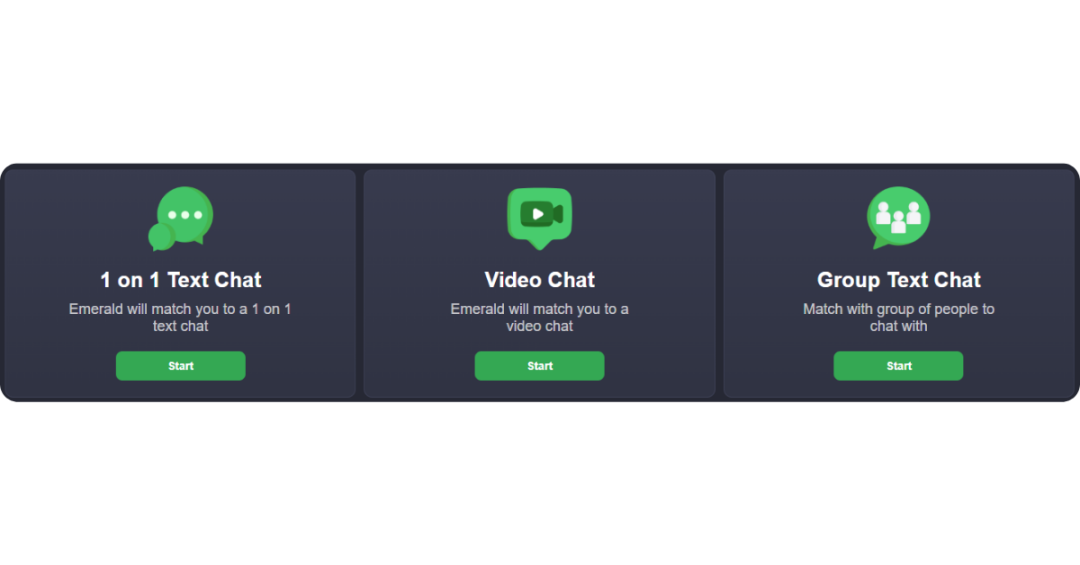
You have three ways to talk.
Text chat is the low pressure option. You type, they type. Nobody sees your face. It’s a good place to start if you’re nervous.
Video chat is a face to face call with one person. The first time you pick it, your browser will ask if Emerald Chat can use your camera and microphone. Click Allow. If you clicked Block by accident, Google’s help page on changing camera and microphone access in Chrome shows how to fix it. Emerald Chat also has its own guide on turning on camera access.
Before your first call, take a quick look at what’s behind you. Mail on a desk or a school banner on the wall can share more than you meant to.
Group channels let you join a bigger conversation with several people at once. They’re handy if one on one feels like too much.
Step 5: Say hello and decide what’s next
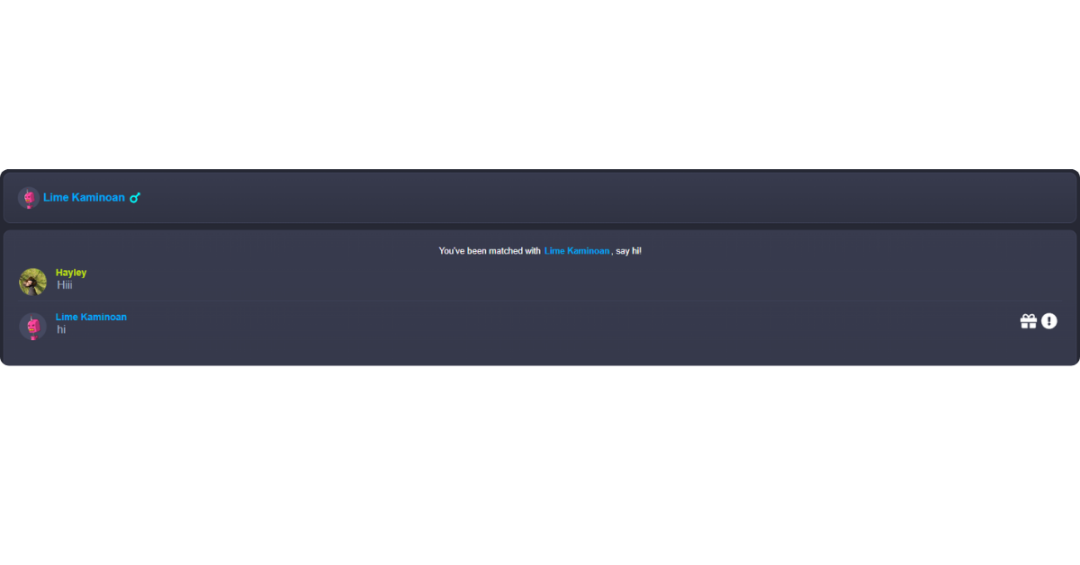
Once you’re matched, you’ll see the other person’s username and any interests you share. Use that. It’s the easiest opener you’ll get.
If you both like hiking, try something like, “Okay, I need a trail recommendation. What’s your favorite one so far?” That’s better than “hi” because it gives them something real to answer.
If you need a few more ideas, these icebreakers that don’t feel forced work well in text or on camera.
From there, you have choices. If the chat is fun, keep going. If you click, add them as a friend so you can talk again later. If there’s no spark, skip to someone new. That’s normal, and most people won’t take it personally.
What’s free on Emerald Chat, and what do you pay for?
Most of the basics are free. According to Emerald Chat, free accounts get random chat, interest matching, text and video chat, group channels, a profile, a friends list, and a feed you can post on.
Paid plans are about control. They add filters for gender, country, language, and karma, so you can narrow down who you’re matched with.
You don’t need a paid plan to have good conversations. But if you keep landing in chats that aren’t a fit, this guide on filtering your matches explains what each filter does.
What is Emerald Wing, and should you try it yet?
Emerald Wing is Emerald Chat’s live feature. Two people go on camera together as a host and a co host, and other users can drop in to watch.
Viewers stay anonymous. Their camera and mic stay off, so the hosts can’t see or hear them. Viewers can react, comment, or send a Karma Gift, but they can’t join the conversation.
To host, open the Wing tab, set up your camera and mic, and join the Wing queue. Emerald Chat pairs you with a co host, and the session goes live once they join. If the queue is slow, you can invite someone directly.
Wing is part of Emerald Chat Premium. Without it, you can browse the live sessions, but you can’t enter them.
On your first day, you can skip it. A Wing session is public, and anything you say or show can be recorded by someone watching. It makes more sense once you’re relaxed on camera. When you get there, this guide to how Emerald Wing works covers hosting, watching, and gifts.
What should you do if a chat feels off?
Leave. You don’t owe a stranger an explanation.
Then report them if they crossed a line. Click their username to open their profile, choose Report, and add a short note about what happened. You can mute them from that same window so they can’t message you again. Here’s the full walkthrough on how to report someone on Emerald Chat.
Emerald Chat says its moderation runs around the clock, with AI tools and human moderators reviewing reports.
A few things are worth a quick exit. Watch for anyone who asks for money, wants personal details, or pushes you to move to another app right away. Those are common signs of a scam.
Your first chat is the hardest one
The first match always feels like a big deal. Then it’s over, and you realize it was just two people saying hi.
Start small if that helps. Use text chat. Add two or three interests you’d happily talk about for an hour. Say one specific thing instead of “hey.” If it goes nowhere, skip and try again. Nobody is keeping score.
Once video feels easy, you can look at Premium extras like Emerald Wing. There’s no rush. Give it a few chats before you decide how you feel about any of it.
Ready to try it? Head to Emerald Chat, add a couple of interests you actually care about, and let interest matching pair you with someone who likes the same things. It’s a much easier way to start a conversation than staring at a blank “hi.”
Frequently asked questions
Do you need an account to use Emerald Chat?
Yes. Emerald Chat asks you to create an account before you chat, using Google, Facebook, or email. Other users never see those details. They only see your username. The account helps moderators handle reports and remove people who break the rules, which makes chats safer for everyone.
Is Emerald Chat free?
Yes, the main features are free. That includes random matching, interest matching, text chat, video chat, group channels, and adding friends. Paid plans add extra filters for gender, country, language, and karma. Those help if you want more say in who you meet, but you don’t need them to start chatting.
Can I use Emerald Chat on my phone?
Yes. You can open emeraldchat.com in your phone’s web browser and chat right away. Emerald Chat also has official apps. Video chat on a phone works the same way as on a computer. Your browser or app will ask for camera and microphone access the first time.
Do I have to turn my camera on?
No. Text chat doesn’t use your camera at all, and many people start there. If you try video chat later, your browser will ask for permission first. You can say no, or turn the camera off again in your browser settings whenever you want.
How old do you have to be to use Emerald Chat?
You have to be 18 or older. Emerald Chat is meant for adults only, and its safety rules say so plainly. Be honest about your age when you sign up. Keep in mind that other people online may not always be honest about theirs.
What is Emerald Wing?
Emerald Wing is Emerald Chat’s live video feature. A host and a co host go live together, and other users can watch anonymously with their camera and mic off. Viewers can react, comment, and send Karma Gifts. Hosting and watching both need Emerald Chat Premium. Free users can browse the live sessions.
Leave a Reply